Logbook
Raw dev logs, daily progress, and behind-the-scenes of building things.
Today I added the parent instruction pages and asked for a few early feedbacks.
One suggestion stood out: the planet orbit exercise might work even better if kids first learned the order of the planets, just to make the activity more intuitive.
So we added a new riddle-matching exercise to introduce the planets in the correct order from the sun. After that, the orbit cut-and-glue activity comes in naturally.
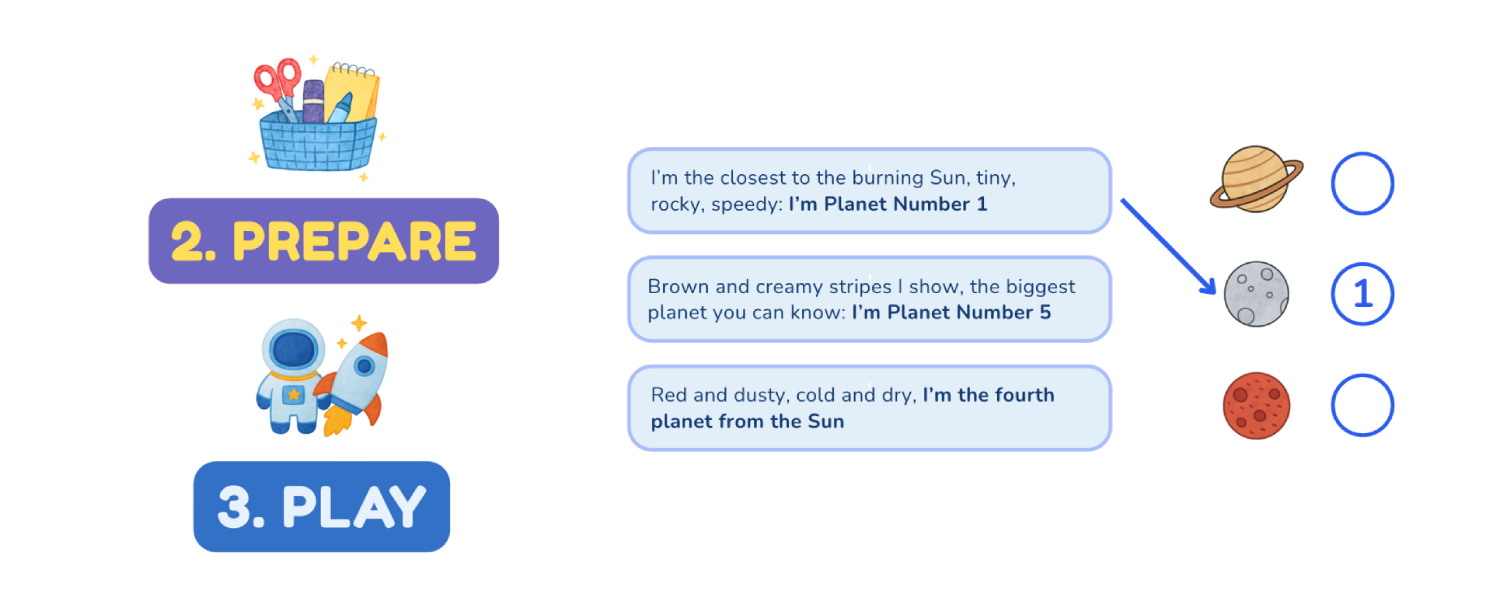
This bumped the activity pages from 28 → 29… and honestly now I want to make it 30 :D
I’ll think about one more small activity while polishing the final details.
Today I finished the full set of page concepts for the Space Explorer Kit!
After adding the control panel and the little alien friend cutouts, everything finally feels cohesive. What’s left now are the detail cleanups and the instruction pages for parents: the last pieces before calling it complete.
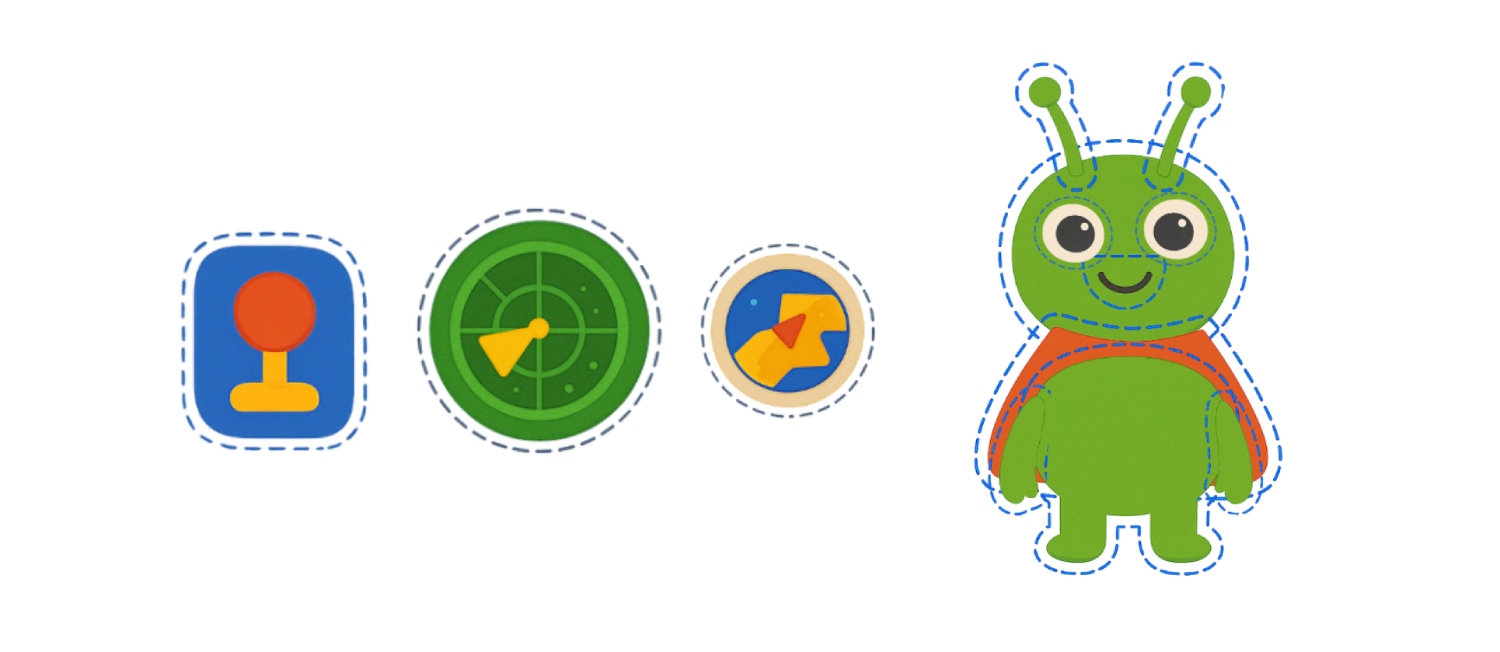
The kit will have 30+ pages in total, with 28 activity pages, which feels like a solid first edition. If I ever want to expand later, I can. But for now, I want to wrap this up and move toward the next step.
My goal for the weekend is to prepare the first listing draft on Shopify.
It’s getting close and it’s exciting to see this idea turning into something real. After that I will take a bit break from this to explore other ideas further and then come back with a party edition or a complete new kit.
Today I returned to Kit of Happiness and picked up right where I left off: polishing the final pages of the Space Explorer Kit.
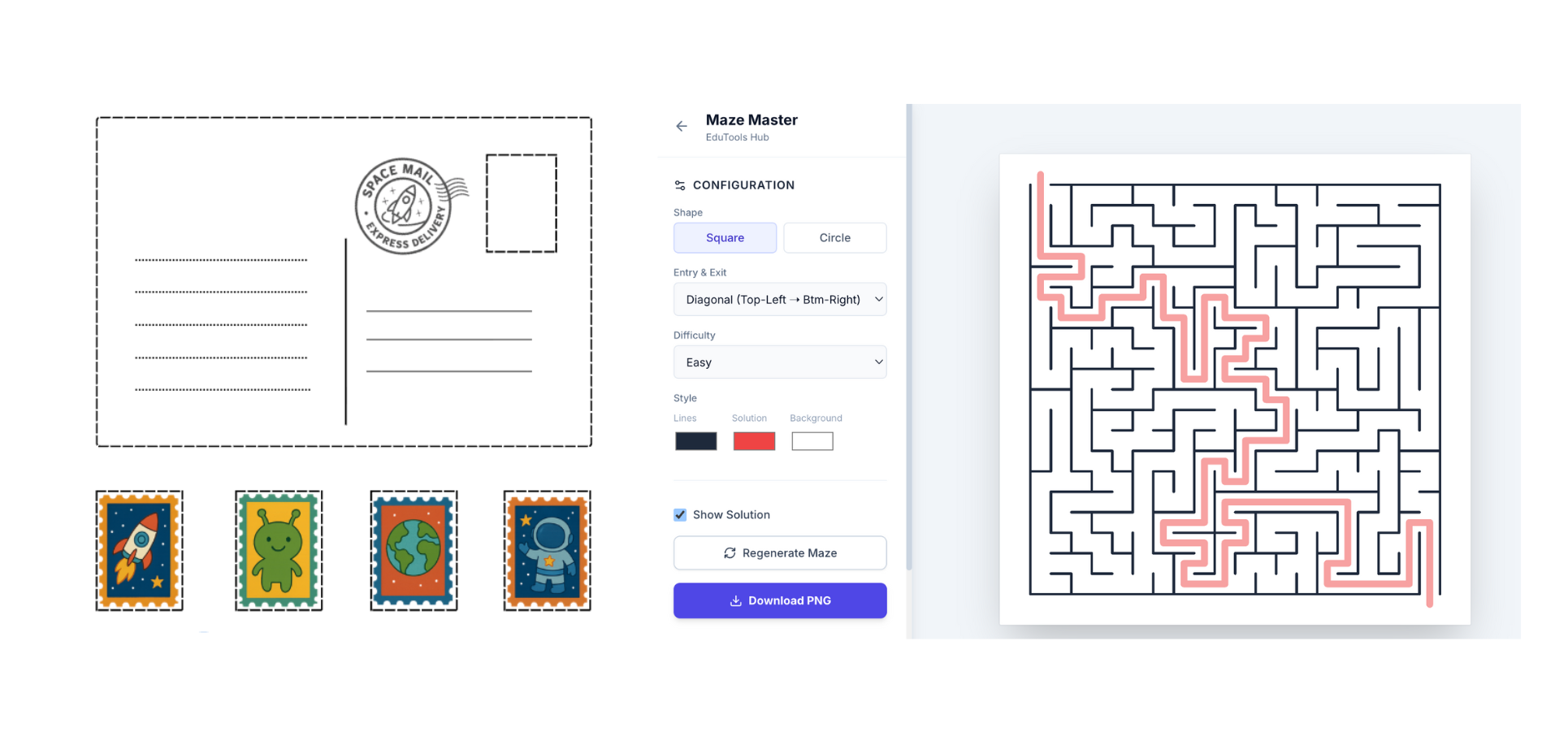
I added the postcard activity page, a tiny space flag, mazes, and a full crossword puzzle. The kit is starting to feel complete now. It’s funny, it feels a bit like coding a game but in a printable world, and I genuinely enjoy moving between creativity and logic like this.
I also coded a tiny helper website using Google Gemini 3, which I’m exploring more lately. It now generates crosswords and mazes for me, and I think I’ll reuse this tool for the next kits too. A small system that will save me hours later.
It feels really good to be back in this creative flow again.
If nothing unexpected comes up this week, I truly hope the first version will be ready.
Today was all about finalising the new partnership config structure.
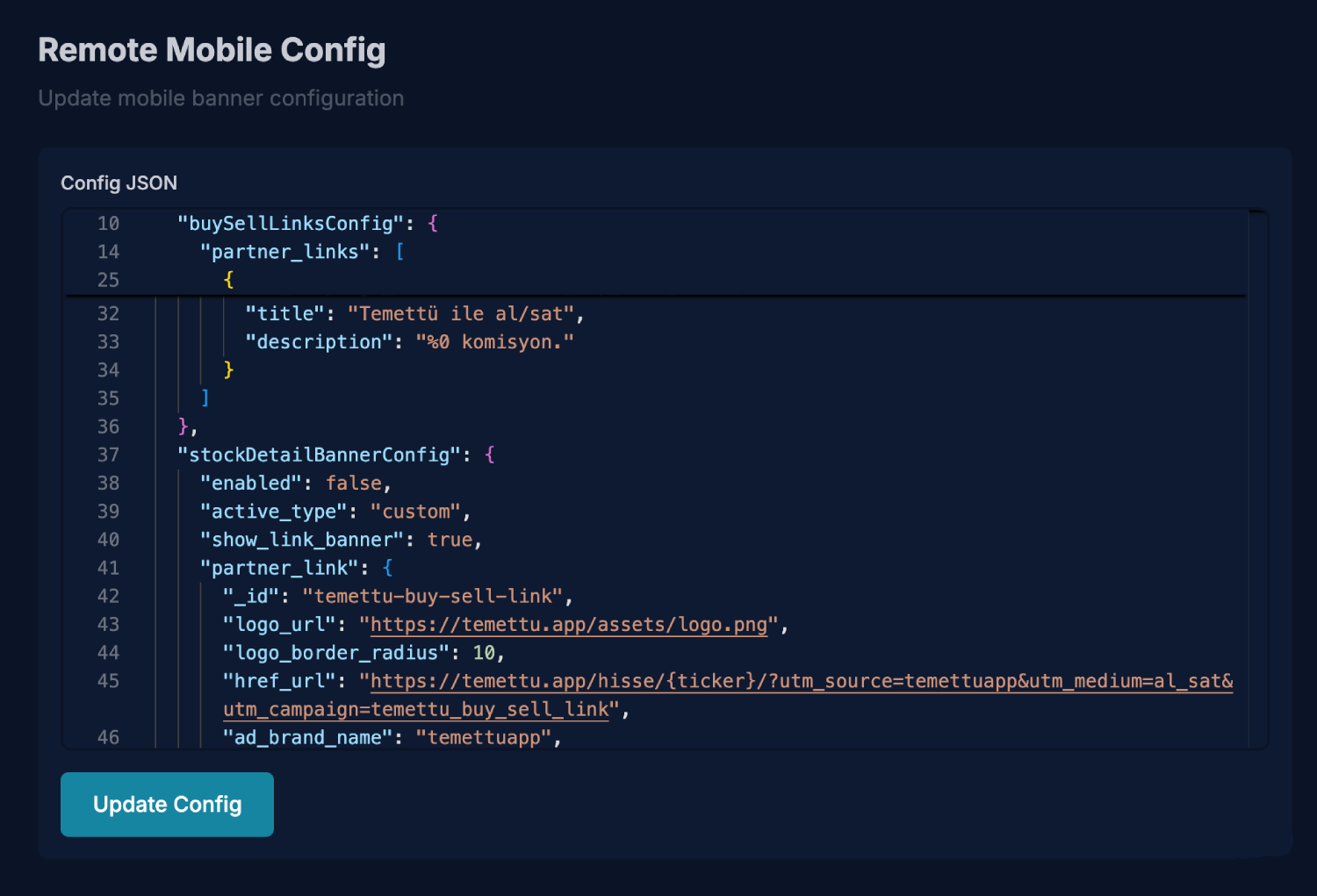
I created new iOS and Android releases after moving our banner configuration fully to our backend API. We already had a small remote-config endpoint for the top alert banner, so I extended it to also serve the banner/ad config. For now it’s basically a JSON dump, but that’s enough to unblock us, the main goal was removing the need for app-store releases for every banner change.
After verifying everything in the app and also including a few bug fixes from current version, we built 3.2.2 and shipped it to both stores.
Android was approved almost instantly.
iOS is still in review, but hopefully it lands tomorrow.
In the meantime, I also added a simple admin dashboard on the backend to manage the JSON. It’s not a polished UI, just a text input for the config but it works. This is exactly the type of scrappy tooling you need when speed matters; the nice UI can always come later, the output won’t change anyway.
A reflection from this week
Something became very clear to me:
I pivoted based on a real opportunity and executed fast.
This is the founder muscle I’ve been building for years.
Planned:
Launch the first Kit of Happiness product.
Actual:
🚨 Temettü got a real partnership interest
→ shifted gears immediately
→ built the full partnership infrastructure in ~5 days
→ shipped a production app update (3.2.2)
→ implemented a proper Ad/Banner system
→ wrote tracking + partner documentation
→ prepared Temettü to monetize properly with custom partnerships
This wasn’t “I didn’t follow my plan.”
This was responding to real opportunity with precision which is exactly what indie makers/studios need in order to grow.
A good week.
Today I looked into how to properly detect when an item is actually visible on the screen in React Native, because the current banner tracking I've recently added fires on load even for components that never appear in the viewport. Not great for accurate analytics.
I explored a few directions:
onLayoutisn't enough; it triggers even if the item is off-screen.- React Native doesn’t have a built-in intersection observer like the web.
- The likely solution is a mix of:
measure()/measureInWindow()to get the element’s positiononScrollto listen for viewport changes- comparing bounds to determine true visibility
I also checked a few libraries (react-native-inviewport, react-native-intersection-observer) but they’ll need performance testing in long lists.
It’s a small detail but for banner impressions, these details matter.
What counts as a valid “Ad View”?
The global standard comes from the IAB (Interactive Advertising Bureau) and like Google, Meta etc. follows as well. An ad impression should be counted only when:
- ≥ 50% of ad visible in viewport
- Visible for ≥ 1 continuous second
- Not under the fold, not covered
- App must be active (foreground)
- Only one impression per ad load
- Scroll or fast flicking should not count
These prevent “fake” impressions and inflated metrics.
Best-practice behaviour on mobile
A valid impression must meet all:
| Condition | Requirement |
|---|---|
| Visibility | At least 50% on screen |
| Duration | Minimum 1s visible |
| Frequency | Logged once per load |
| Valid state | App active, component actually in viewport |
AdMob and all certified SDKs do this inside the SDK.
Since we’re using custom banners, we have to recreate the logic ourselves.
What I implemented today
I built everything around three core hooks opting out an external library:
useInViewuseAdAnalyticsuseCTAAnalytics
All coordinated through the global useScrollTracking provider. The system now detects real viewport visibility using measureInWindow(), calculates visible-area percentage, enforces the ≥50% visibility rule, and ensures the ad stays visible for 1 continuous second before counting it as a valid impression.
I also added app-state checks (foreground only), fast-scroll detection to block fake impressions, and automatic timer resets any time a condition breaks. Clicks are only logged if a valid impression exists, and everything uses a shared impression_id so multi-partner sheets can link CTA → item clicks cleanly.
Metadata handling is now consistent (placement index/position, partner order, campaign details). Overall, the system mirrors how Google/Meta handle viewability but fully custom and built specifically for our app.
Why this matters
Accurate impressions → correct CTR → honest reporting → trustworthy campaigns.
Now we can have these dashboards in Posthog with impression/click properties → automatic funnels & insights:
- CTR by placement
- CTR by campaign
- Top performing ads
- Worst placements
- Performance by device/platform
I’ll turn this into a full technical case study later, but these are the core notes and base implementation from today.
The second day of React Summit US 2025: Day 2 was fully remote setup and it felt much more technical and unexpectedly repetitive, with several talks circling around the React Compiler, memoization, React Scan, and performance profiling.
Even though the talks went in many directions from AI-assisted design workflows to performance tips, RPi experiments, and UI patterns, the day carried one clear theme: the ecosystem is pushing toward faster, smarter, more intentional React.
The hydration talk was nice, showing how selective, viewport-based hydration can solve real SSR performance issues. The design system session added a nice contrast, reminding how much thoughtful engineering goes into truly global UI. And the creative frontend talk closed the day beautifully:
Particles, pixels & purpose
Frontent is where math meets art, where science meets engineering, where curiosity turns into creation.
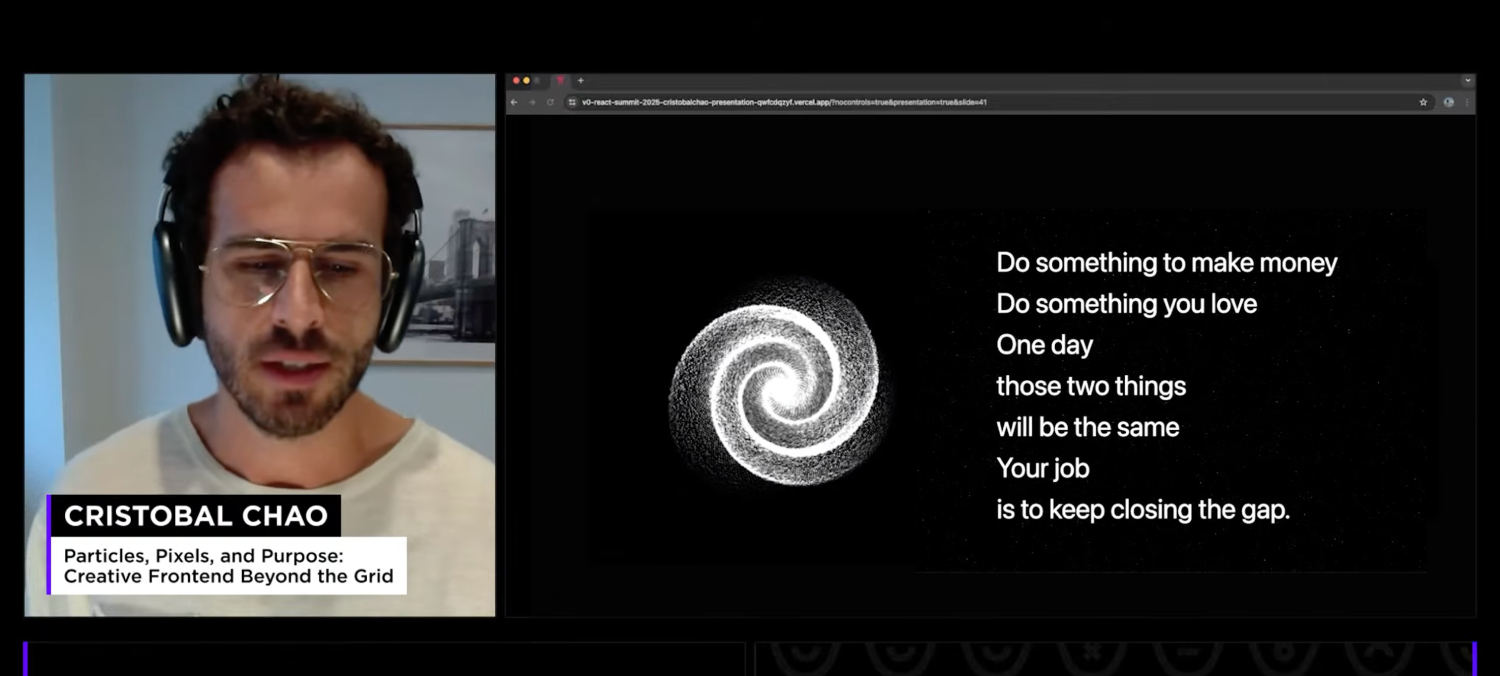
Cristobal Chao’s talk was the emotional highlight for me. It captured exactly why frontend has always felt like home, the place where creativity and logic meet.
The final slide said:
Do something to make money
Do something you love
One day those two things will be the same
Your job is to keep closing the gap.
It landed perfectly.
This is why I show up every day to create, even on rest days. Because creating is the one place where I feel fully alive.
Tomorrow, I’ll be ready to dive into the next thing again and I’ll dive deeper into all these ideas in a proper blog post soon.
Today became a full rest + learning day thanks to betterment days that my company provides 3 days a year, and I spent it catching up with the all talks from React Summit US 2025: Day 1.
It turned into one of those rare days where you slow down but still feel creatively recharged.
A few themes stood out across the talks:
-
The future of React is leaning heavily into compilers, cross-platform DOM, and React Server Components.
-
Frameworks like TanStack Start and Redwood SDK are challenging the classic SSR/SPA split.
-
DX vs UX conversations, and the realization that RSC shipped through frameworks, not React itself.
-
New AI-powered workflows, from design-to-code pipelines to editor integrations, showing how quickly the tooling is evolving.
-
Talks around why reading code still matters, and how AI accelerates execution but can never replace taste or intention.
-
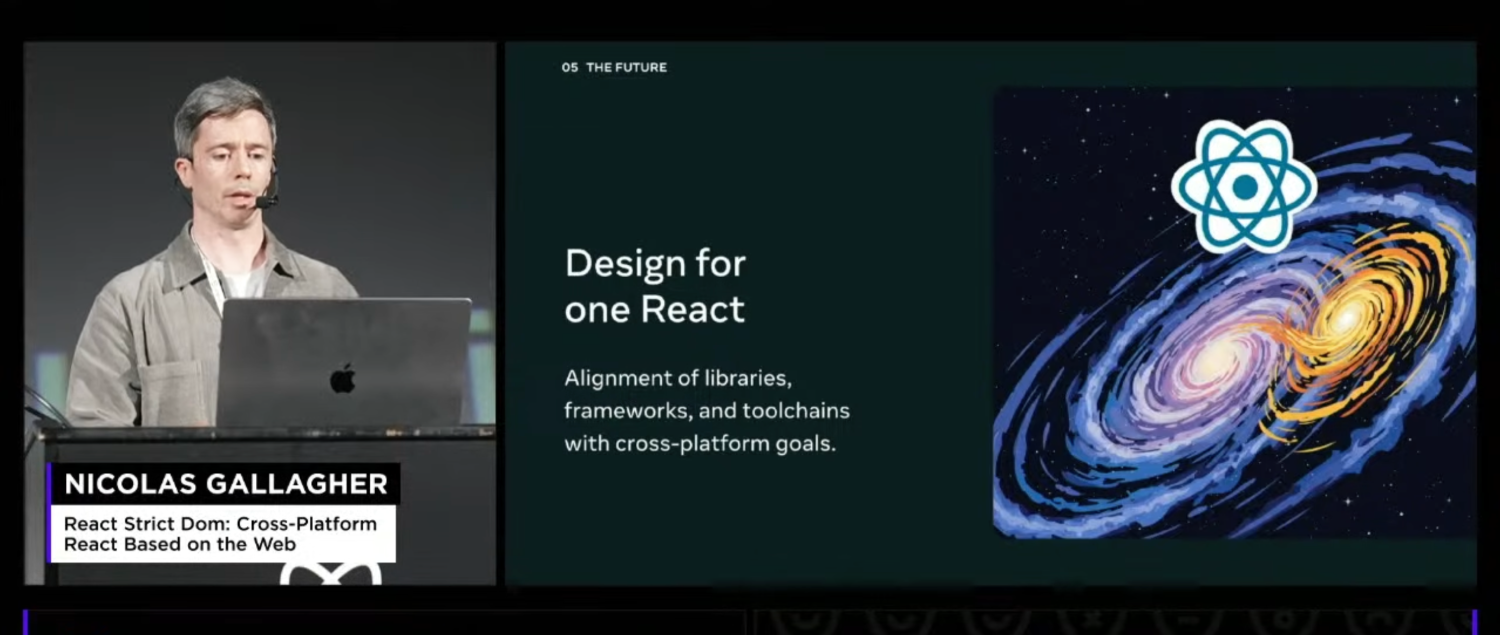
Design for one React idea was interesting, meaning that no context, syntax change but a unified format for React Web or for React Native as an example. I'm curious about it's practical usage.
A random but important discovery
Today I also learned something unexpectedly useful:
👉 You can toggle JavaScript enabled/disabled state easily using a Chrome extension.
Why do I care?
Because I’ve been wondering how oneweek.dev behaves especially for SEO but I was so lazy to priotize. And… surprise:
It’s not visible at all when JS is disabled.
Zero content.
Just a blank page.
Not great for a simple static site.
It should render without JavaScript, this happens because one layout uses use client at the top, I probably dragged a client component too high in the tree.
This means:
- crawlers with no JS → get nothing
- page preview tools → get nothing
- SEO → suffers quietly
I've quickly fixed it between sessions but I need to take a look further for our other websites.
More detailed notes will come later in a full blog post, but for today, this was exactly the reset I needed.
A quiet day of absorbing new ideas, thinking ahead, and getting inspired again. Tomorrow I will be able to watch the second day live.
Today was all about bringing the new configurable banner system closer to something usable, both internally and for upcoming partnerships.
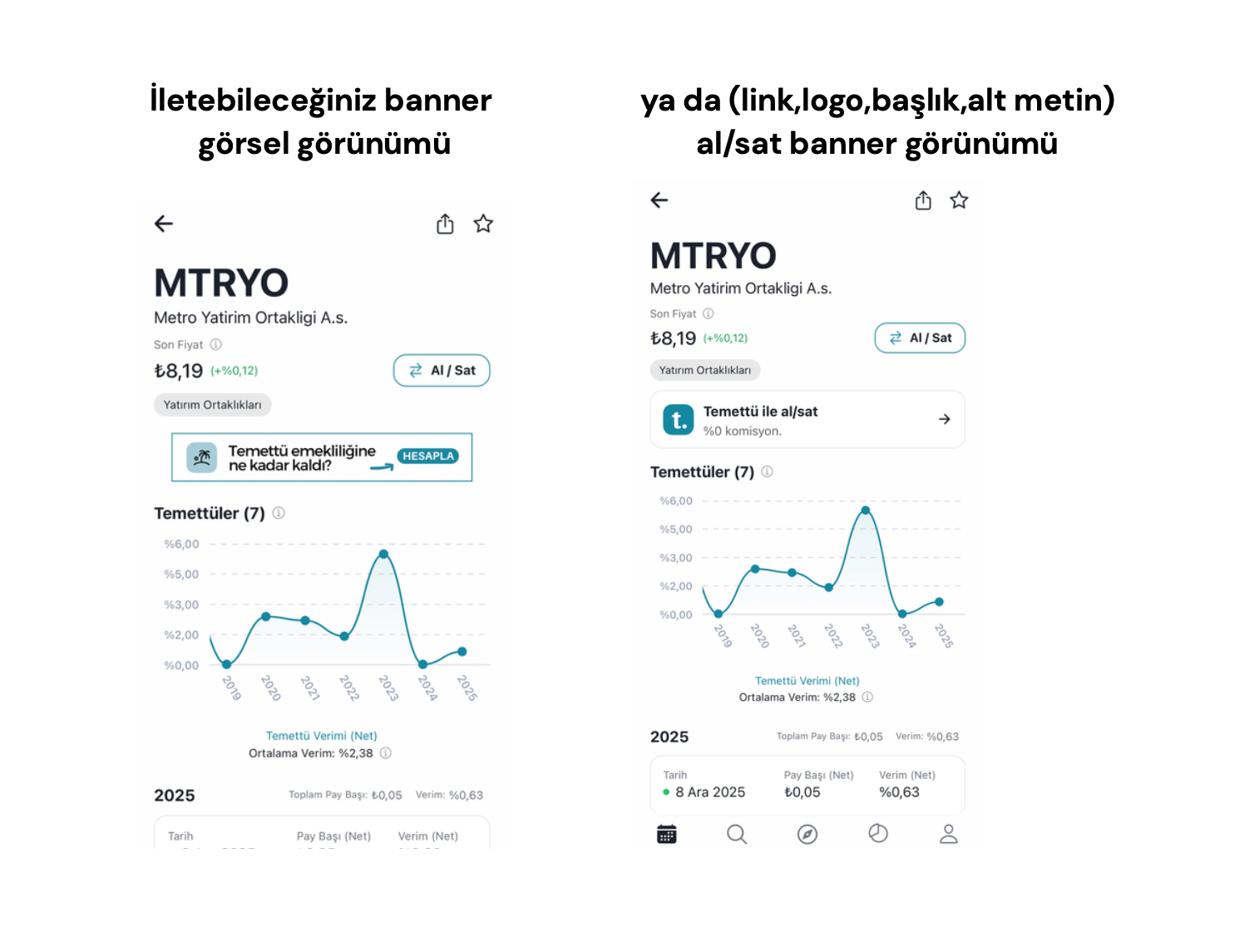
I finalized all current placements inside a static JSON for now and wrote clear instructions on how each placement should be configured.
Since this system is still fresh, I also generated a clean PDF version to send to partners, sent it already for the first partner so they can understand exactly how and where their banners will appear inside the app.
The next development step is pretty straightforward but important: moving this JSON from local file to an API, so the app can fetch banner rules remotely on load.
That way, we can update placements instantly without waiting for another App Store or Play Store release.
Until then, we’ll manage the static JSON manually. Not elegant, but enough to get things running until we have time to build a proper dashboard, similar to the one we already have for the web.
Another thing on my mind today:
I still need to figure out the best way to track when a banner is actually in view, not just loaded.
Ad networks have nuanced definitions for visibility, and I want to understand the best practice before implementing our own version. Something to research in the next few days.
Today I had to shift my focus fully to Temettü, and I’m glad I did, it was time to build a more flexible foundation for how we show banners across the app.
Until now, we’ve been relying on AdMob (not great for the Turkish market) and then AdManager for custom banners, which works almost fine but comes with its own complications.
Since we’re starting to get interest from new partnership opportunities, I wanted a system that gives us more control instead of being stuck with the limitations of external ad networks.
So I created the base for a configurable system, driven by a simple JSON structure for now.
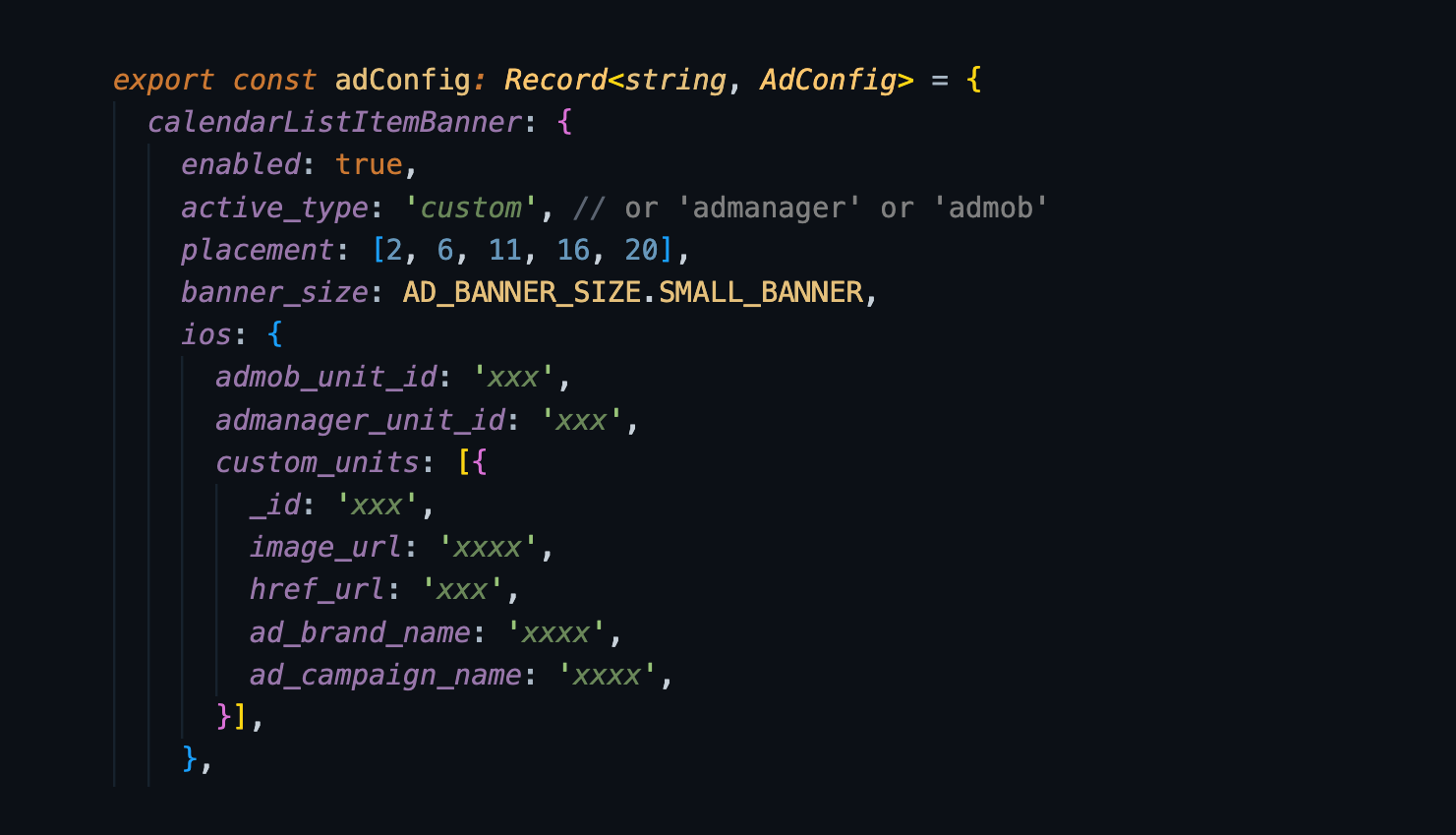
This will give us full flexibility on where and how banners appear, and later on it can evolve into a proper dashboard module.
For today, two placements are already working:
- Sticky bottom banner
- Calendar list in-between banners (e.g., after the 2nd item, 6th item, 10th item, etc.)
And it's all analytics is wired to PostHog, logging impressions and clicks with additional metadata, something partners love to see and something we also want for our own product insights.
Next steps will be adding:
- dedicated spaces on the discover lists
- new organic placement opportunities
- buy/sell redirect links
A very infrastructural kind of day, but these are the pieces that make future iterations faster and smoother.
I spent today working on the Space Explorer Kit, and it’s finally reaching the point where it feels like a real product.
Not finished yet — but almost ready for its first digital printable release, which feels surreal considering this idea didn’t even exist around a week ago.
At the moment, the kit sits at around 35 pages, covering:
- themed badges
- planet cards
- scavenger hunt items
- activity pages
- the full layout template
There are still a few instruction pages to add, some detail clean-up, and final polishing, but the core experience is already there. It’s starting to look like something a real kid (or an adult with a playful heart) would enjoy and that’s the best part.
I also played around with AI mockups, and it’s honestly crazy how far these tools have come.
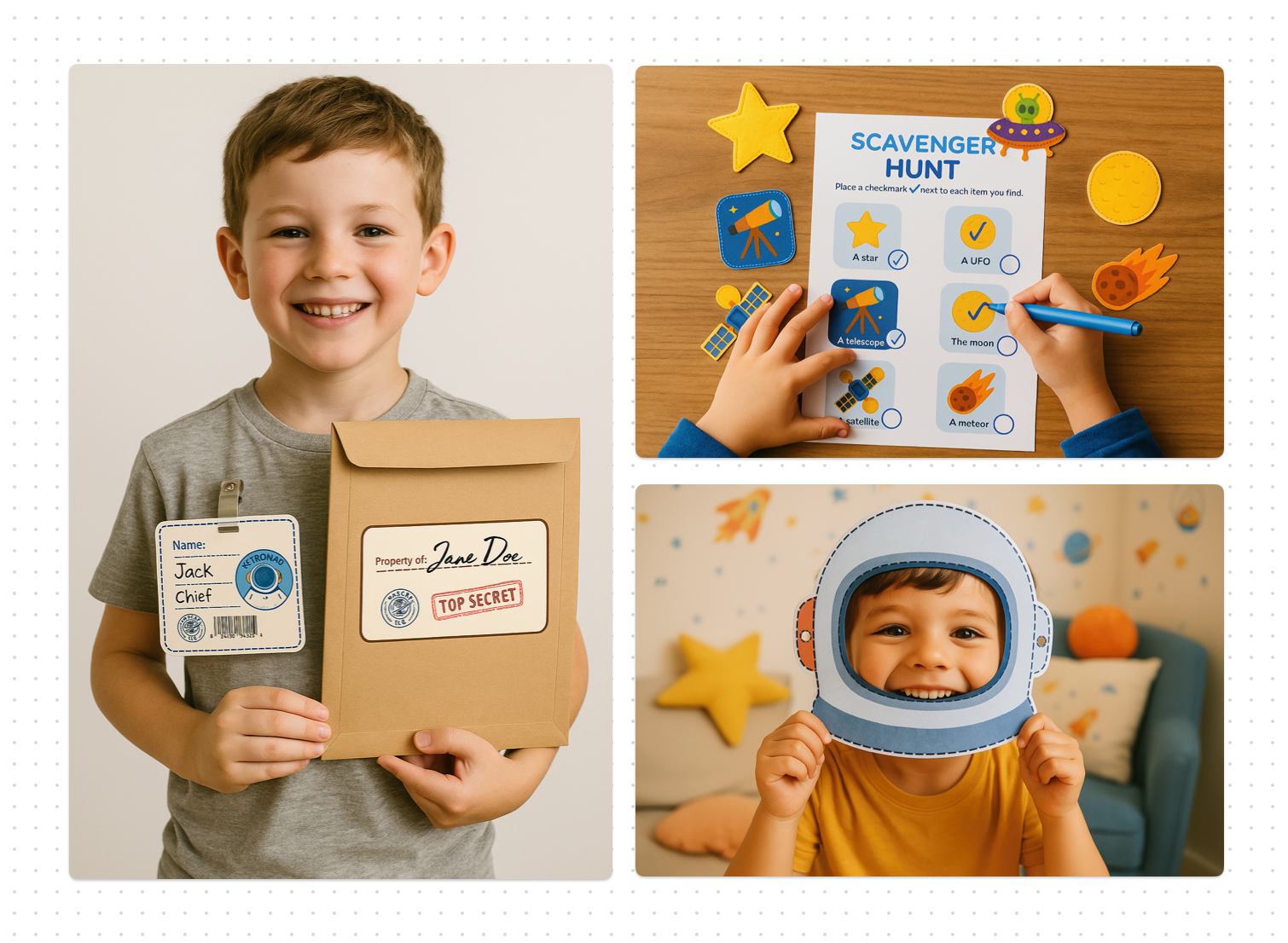
Still not perfect, still needs post-editing, but compared to AI two years ago… it feels like we’re designing with a superpower.
I wanted to wrap up it's listing this weekend, but priorities shifted a little.
We received interest from our first potential partner for Temettü since releasing the new partnership page so the next few days will likely go into preparing, refining, and showing up for that opportunity.
A small pause from this kit for now, but I’ll return to it soon.
No logs yet
First dev log coming soon...